Here's a great way to kill a Windows Server 2003 + SP1 / R2 box...
1. Create a new reg DWORD TcpTimedWaitDelay in HKLM\System\CurrentControlSet\Services\Tcpip\Parameters
2. Give it a value of 0
3. Reboot
The box will never come back, and give a very ambiguous STOP 0x7F bugcheck. And since it's so early in the boot process it doesn't write a dump file. I found this after reading about the new 'smart TCP port allocation' functionality of the TCPIP stack in 2003+SP1 (and hence R2). I was investigating a problem that I thought may have been caused by the feature, and thought I could effectively switch it off by setting the above. Not sure if it affects 2003 RTM or 2000 in the same way... try it and let me know :-)
Tuesday, June 06, 2006
Thursday, June 01, 2006
VBScript header...
And while we're on the topic of VBScript, here is what I currently use for a standard script header:
Dim objFSO,objShell,objWMI,objRegEx,strSystemRoot
Set objFSO = CreateObject("Scripting.FileSystemObject")
Set objShell = CreateObject("WScript.Shell")
Set objWMI = GetObject("winmgmts:" & "{impersonationLevel=impersonate}!\\.\root\cimv2")
Set objRegEx = New RegExp
objRegEx.Global = True
objRegEx.IgnoreCase = True
strSystemRoot = objShell.ExpandEnvironmentStrings("%SYSTEMROOT%")
Dim objFSO,objShell,objWMI,objRegEx,strSystemRoot
Set objFSO = CreateObject("Scripting.FileSystemObject")
Set objShell = CreateObject("WScript.Shell")
Set objWMI = GetObject("winmgmts:" & "{impersonationLevel=impersonate}!\\.\root\cimv2")
Set objRegEx = New RegExp
objRegEx.Global = True
objRegEx.IgnoreCase = True
strSystemRoot = objShell.ExpandEnvironmentStrings("%SYSTEMROOT%")
My Favourite Editor has a free version!
I've been using EmEditor for at least 4 years. Initially it was for administrative scripting, but after my favourtie HTML editor (HomeSite) went on the backburner at Macromedia, I started using it for everything. ANd I've never looked back.
Not sure how long the free version has been out, but it's well worth a look. Get it from http://www.emeditor.com/download.htm.
Version 6 should be out soon, with some cool new features. The 'snippets' feature has been a long time coming!
Not sure how long the free version has been out, but it's well worth a look. Get it from http://www.emeditor.com/download.htm.
Version 6 should be out soon, with some cool new features. The 'snippets' feature has been a long time coming!
Monday, May 29, 2006
Virtual Router for Virtual Server 2005 R2...
FreeSCO it seems does not support Virtual Server 2005... version 0.3.5 won't even boot and the developers don't seem to care. Funny thing is that even though Virtual Server uses one of the most compatible NIC chipsets around, the DEC-based Intel 21140, the drivers available for FreeSCO just won't work.
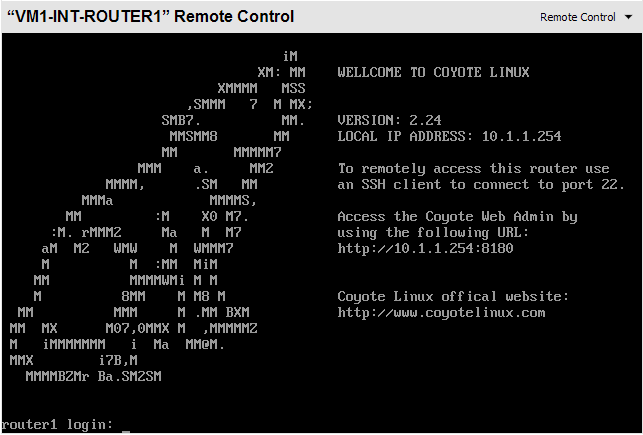
After trying to get it working for an hour or so (I've previously used FreeSCO on VMWare, and it just works straight out of the box), I gave up and started looking for another small linux based router, and found Coyote Linux.
Even though the floppy version is no longer being maintained, it does everything you want and more. They even have a wizard based image creator for Windows - very nice indeed. When you're going through the Wizard, ensure that you select the 'tulip' NIC type for both interfaces. And, just like FreeSCO on VMWare, it works straight out of the box with 16Mb of RAM and no VHD.
Here is a brief how to:
1) Create a new virtual machine with 16MB RAM, no hard disk, no CD/DVD, no SCSI adapter and 2 NICs.
2) Set the floppy drive to always use the image you got from the Coyote wizard
3) Coyote should now start up without a hitch.
4) Add the following line to the firewall configuration file: access Y permit all int-net lan-net all
This will allow all traffic to simply route between the 2 networks.
5) You're done.
Obviously Coyote has been designed to function as much more than a simple router, and some of the other features will no doubt come in handy to simulate DMZ or QoS conditions you get in the real world.
So go and grab it from here, and thanks very much to the good ppl who made it. Give them some business if you can!
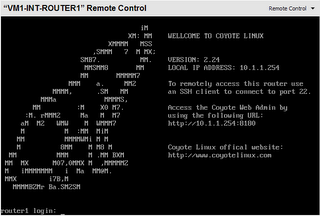
After trying to get it working for an hour or so (I've previously used FreeSCO on VMWare, and it just works straight out of the box), I gave up and started looking for another small linux based router, and found Coyote Linux.
Even though the floppy version is no longer being maintained, it does everything you want and more. They even have a wizard based image creator for Windows - very nice indeed. When you're going through the Wizard, ensure that you select the 'tulip' NIC type for both interfaces. And, just like FreeSCO on VMWare, it works straight out of the box with 16Mb of RAM and no VHD.
Here is a brief how to:
1) Create a new virtual machine with 16MB RAM, no hard disk, no CD/DVD, no SCSI adapter and 2 NICs.
2) Set the floppy drive to always use the image you got from the Coyote wizard
3) Coyote should now start up without a hitch.
4) Add the following line to the firewall configuration file: access Y permit all int-net lan-net all
This will allow all traffic to simply route between the 2 networks.
5) You're done.
Obviously Coyote has been designed to function as much more than a simple router, and some of the other features will no doubt come in handy to simulate DMZ or QoS conditions you get in the real world.
So go and grab it from here, and thanks very much to the good ppl who made it. Give them some business if you can!
Monday, May 15, 2006
Adding Console fonts...
I recently switched to using the newish Consolas font from Microsoft for VS2005 / text editors. It's a nice font, and I was wondering how I could get it into the console if it was even possible. Turns out it is, with this 'unsupported' hack from Microsoft
Windows Registry Editor Version 5.00
[HKEY_LOCAL_MACHINE\SOFTWARE\Microsoft\Windows NT\CurrentVersion\Console\TrueTypeFont]
"00"="Consolas"
KB article is here.
Windows Registry Editor Version 5.00
[HKEY_LOCAL_MACHINE\SOFTWARE\Microsoft\Windows NT\CurrentVersion\Console\TrueTypeFont]
"00"="Consolas"
KB article is here.


Subscribe to:
Posts (Atom)